Data Arrangement#
Following is the default and recommended arrangement of data.
Subject Folder#
Data is stored in
pedarProbe/data/subjects/folder.Under this folder is folder for each subject, named as the corresponding subject ID (
S<num>), such asS1/,S2/, etc.Under each subject’s folder are the
.ascfiles exported from pedar, named in the format of<subject ID> <condition> <trail>.asc, such asS4 fast walking 3.asc.
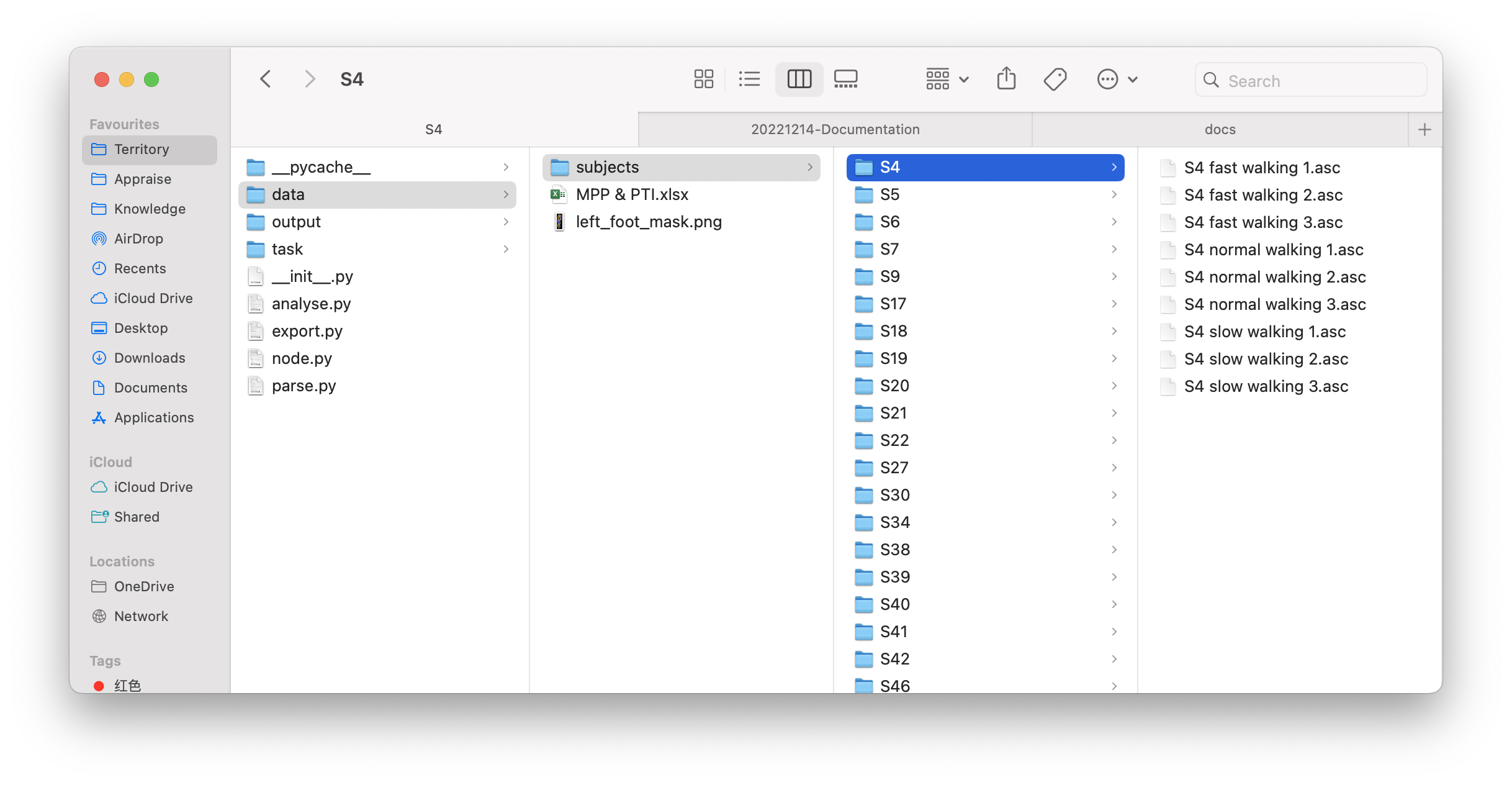
An example subject folder.#
Guiding Sheet#
The guiding sheet (.xlsx) is stored in pedarProbe/data/subjects/ folder. Each row of it contains the trail name (<subject ID> <condition> <trail>), the side foot (L or R), and the stances’ timestamps. Below shows an example:

An example guiding sheet.#
Data Loading#
With the guiding sheet, pedarProbe can load and parse the data for further analysis:
from pedarProbe import parse

condition_list = ['fast walking', 'slow walking', 'normal walking']
data = parse.trails_parse(
    "data/subjects/walking plantar pressure time slot.xlsx",  # the guiding sheet's path
    condition_list,  # condition list will be used for format checking
    # max_read_rate=0.1,
)